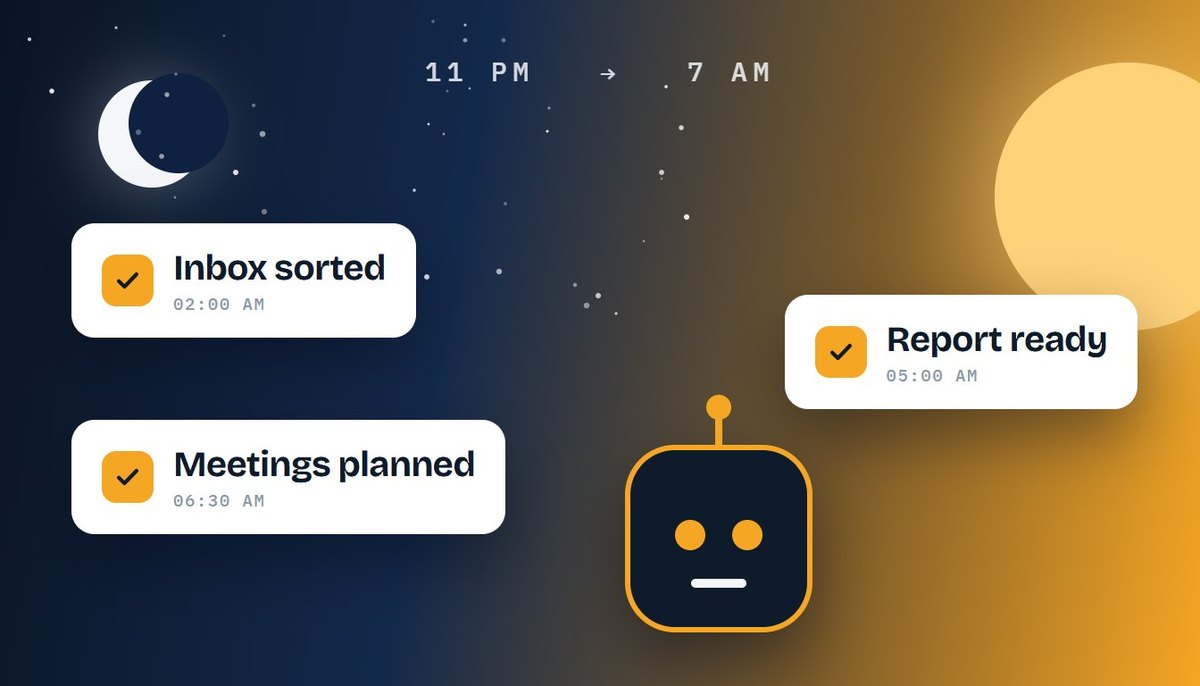
Picture this. You close your laptop at night with a long to-do list. By morning, your AI agents have sorted your inbox, finished a research report, and planned tomorrow’s meetings.
That used to sound like science fiction. Now it’s starting to happen. AI agents that work autonomously can follow a goal for hours without you. In this guide, we’ll explain what they can do, where they still fail, and how to use them safely.
- AI agents take a goal, make a plan, and do the work on their own.
- They’re improving fast because of better planning, memory, and tool use.
- The biggest benefit is time saved on routine, repeated tasks.
- The biggest risk is small mistakes that repeat when nobody is watching.
- Start small, limit access, and keep a human in charge of big decisions.
What Are AI Agents?
An AI agent is software that works toward a goal on its own. You don’t give it every step. Instead, it makes a plan, picks the tools it needs, and gets the job done.
A chatbot answers your question and stops. An agent keeps going until the task is finished, or until it needs your approval.
You may also hear the terms agentic AI and autonomous AI agents. They describe the same idea: AI that acts, not just talks. When an agent works for one person on daily tasks, people often call it a personal AI assistant.
Why AI Agents Are Getting Smarter
Four things have changed in a short time.
- Better planning. Models can break a big goal into small steps. They can also notice a mistake and try again.
- Memory. Agents remember your habits and preferences, so you don’t repeat yourself.
- Tool use. They can browse the web, fill out forms, open apps, and write code.
- Background work. Some agents now keep going after you close the app.
For example, Meta’s Muse agent, launched in September 2026, can keep working even after you close the app. Meanwhile, OpenAI added workspace agents to ChatGPT in April 2026, so teams can build agents for repeated workflows. The trend is clear. Big companies are racing to build AI agents that do more on their own.
What Happens When AI Can Work While You Sleep?
Here’s a simple example. Say you run a small online store.
- 11:00 p.m. You tell your agent: “Check new orders, answer simple customer emails, and prepare a sales summary.”
- 2:00 a.m. The agent replies to common questions. It flags one upset customer for you.
- 5:00 a.m. It pulls the sales numbers and writes a one-page report.
- 7:00 a.m. You wake up, read the summary, and approve two replies.
Notice what happened. The agent didn’t replace you. It handled the routine work, so your morning starts with decisions instead of chores. That’s the real promise of AI task automation.
However, there’s a catch. An agent that works alone also makes mistakes alone. If no one checks, a small error can repeat many times before morning.
Real Ways People Use AI Agents That Work Autonomously
Today, people use agents for jobs like these:
- Inbox and scheduling. Sorting email, drafting replies, and booking meetings.
- Research. Reading many web pages and building a short summary.
- Customer support. Answering common questions and passing hard ones to a person.
- Reports and content. Pulling data and writing a first draft.
- Coding. Fixing small bugs and testing changes.
- Errands. Booking tables or shopping. In Meta’s case, Muse checks with you before big actions like sending an email or making a purchase.
These AI productivity tools save the most time on tasks that repeat. If you do something the same way every week, an agent can probably help.
AI Agents vs. Chatbots vs. Old Automation
People often mix these three up. Here’s the difference.
| Feature | Chatbot | Rule-based automation | AI agent |
|---|---|---|---|
| How it works | Answers your question | Follows fixed “if this, then that” rules | Plans and acts toward a goal |
| Handles surprises | Sometimes | No, it breaks | Yes, it adjusts the plan |
| Best for | Explaining and writing | Simple, repeated jobs | Multi-step tasks |
In short, old automation follows a script. An agent figures out the script as it goes.
The Risks Nobody Should Ignore
Smarter doesn’t mean safer. Before you hand over the keys, know these risks.
- Mistakes at scale. A wrong step can repeat hundreds of times overnight.
- Too much access. An agent with full access to your accounts can do full damage.
- Prompt injection. Hidden text on a web page or in an email can trick an agent into following bad instructions.
- Privacy. Agents handle personal and business data, so check where it goes.
- Over-trust. The more reliable an agent seems, the less we check it. That’s when problems slip through.
Our guide to AI agent security covers these threats in more detail.
How to Start Using AI Agents Safely
You don’t need to go all in. Try this approach.
- 01Start with one small task. Pick something low-risk, like sorting your email.
- 02Give read-only access first. Let the agent look before it can change anything.
- 03Keep approval on for big actions. Payments, deletions, and outside emails should need your OK.
- 04Check the activity log each morning. It shows what the agent did and why.
- 05Expand slowly. Add new tasks only after the first one works well for a few weeks.
What This Means for Your Career
AI agents will change many jobs. Still, someone has to build them, test them, and keep them safe. That person could be you.
At Big Binary Trainings in Lahore, our Full Stack AI Engineer Track teaches you to build and use agents through hands-on projects. If security interests you, our Cybersecurity track shows you how to protect them. Either way, you’ll learn by building, not just reading.
Explore all career tracksConclusion
AI agents are getting smarter every month. Soon, AI agents that work autonomously will be a normal part of work, just like email and spreadsheets.
The goal isn’t to hand over everything. It’s to hand over the boring parts, so you can focus on the work that needs a human. Start small, keep control, and let the agent earn your trust one task at a time.